Graphique à Barres
Parfait pour comparer les quantités entre catégories. Créez des barres verticales ou horizontales avec plusieurs séries.


The fastest chart maker from data — turn your raw data into stunning, professional visualizations with the power of artificial intelligence. Upload your CSV or Excel file, describe what you want to visualize in plain English, and watch as ChartGen creates the perfect bar chart, line graph, pie chart, or any visualization in seconds. No design skills required.
Des simples graphiques à barres et linéaires aux cartes de chaleur complexes et graphiques combinés, ChartGen offre le bon outil de visualisation pour chaque insight de données.
Parfait pour comparer les quantités entre catégories. Créez des barres verticales ou horizontales avec plusieurs séries.
Idéal pour montrer les tendances dans le temps. Visualisez les données de séries temporelles avec plusieurs lignes et marqueurs.
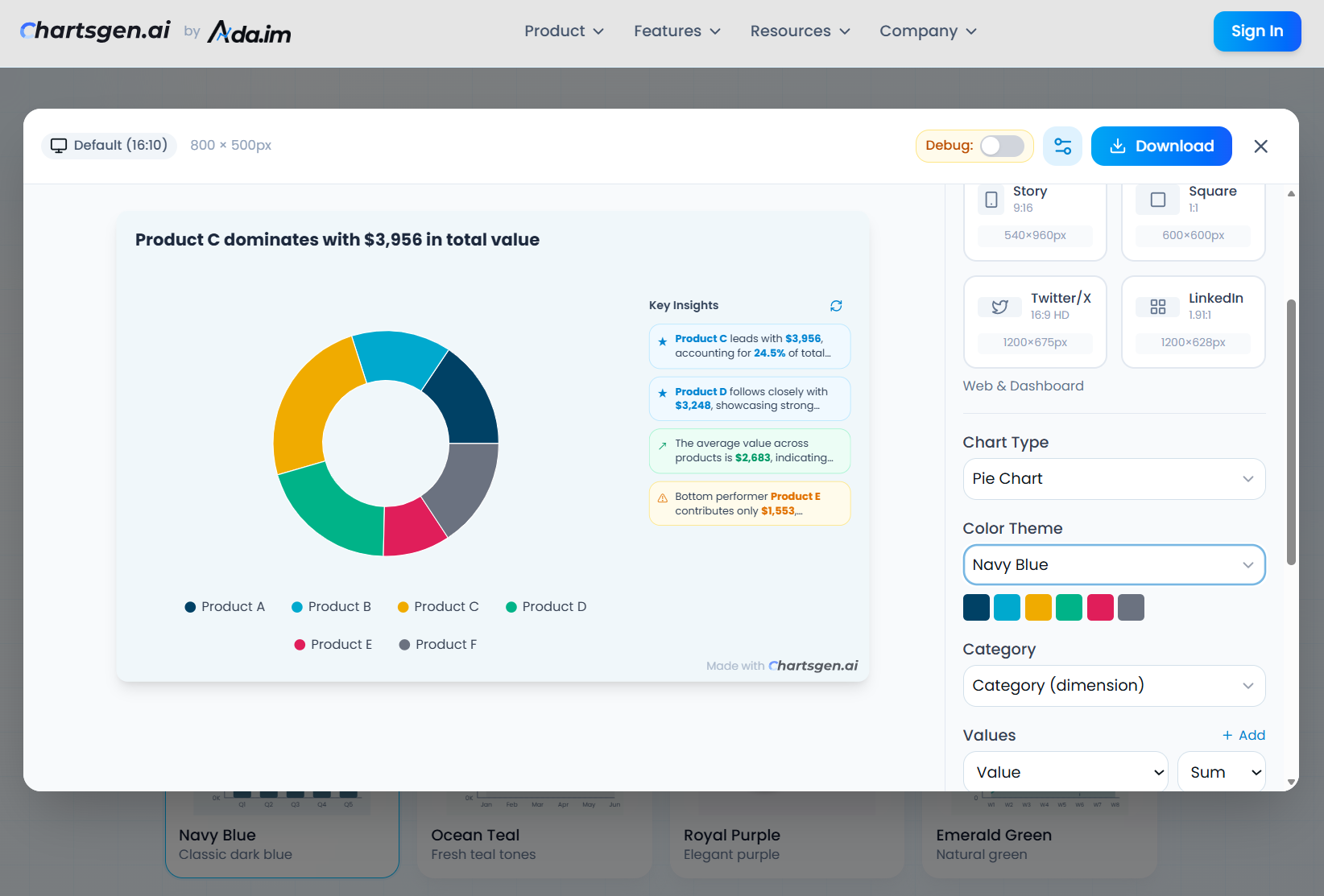
Idéal pour montrer les proportions et pourcentages. Affichez la part de marché, l'allocation budgétaire ou les répartitions de données.
Montre les totaux cumulatifs et le volume dans le temps. Parfait pour visualiser les tendances empilées et les changements de composition.
Excellent pour visualiser les corrélations entre variables. Analysez les relations et les regroupements dans les données.
Excellent pour les données matricielles et les motifs d'intensité. Affichez les matrices de corrélation et les motifs temporels.
Combine barres et lignes pour l'analyse multi-métriques. Comparez les revenus avec la croissance ou le réel avec les objectifs.
Parfait pour montrer les changements de valeur incrémentaux. Visualisez les analyses de profit et perte et les variations de budget.
Idéal pour la visualisation de conversion et de processus. Suivez les pipelines de ventes et les parcours utilisateurs.
ChartGen combine un design intuitif avec l'intelligence artificielle avancée pour transformer vos données en visualisations professionnelles.
Téléchargez des fichiers CSV ou Excel avec détection automatique des colonnes. Notre IA identifie les types de données et suggère les meilleures visualisations.
Décrivez votre graphique en français simple. Dites 'montre-moi les ventes mensuelles par région' et regardez la magie opérer.
Our automatic chart maker analyzes your data structure, identifies patterns, and creates the perfect visualization with optimal chart type selection in seconds.
Choisissez parmi 12 palettes de couleurs conçues professionnellement, inspirées des principales sociétés de conseil et marques.
Affinez vos graphiques avec les méthodes d'agrégation (somme, moyenne, comptage, min, max, comptage distinct).
Téléchargez des graphiques en images PNG haute qualité pour les présentations, rapports et réseaux sociaux.
ChartGen n'est que le début. Inscrivez-vous sur Ada.im pour débloquer des fonctionnalités avancées de visualisation et d'analyse de données.
Connectez-vous directement à MySQL, PostgreSQL, BigQuery, Google Sheets et plus de sources de données.
Partagez des graphiques et tableaux de bord avec votre équipe. Collaboration en temps réel et gestion des versions.
Créez des tableaux de bord interactifs avec plusieurs graphiques et filtres. Obtenez des insights en temps réel à partir de vos données.
SOC 2 Type II compliant with SSO integration, role-based access control, audit logs, data encryption, and dedicated support.
Schedule automated report generation with custom templates. Deliver insights to stakeholders via email, Slack, or webhook.
Charts automatically refresh when your data sources update. Set custom refresh intervals from real-time to daily.
Free tier available. No credit card required.
See what marketing managers, financial analysts, and data teams say about ChartGen's AI chart generator
"As someone new to data visualization, ChartGen is a lifesaver! I don't need to master complex charting tools just to create professional charts. It saves tons of time and lets me focus on insights rather than formatting."
"The automatic chart type selection is incredibly convenient when you're not design-savvy. Quick data visualization saves time on routine analysis tasks."
"This is exactly what our marketing team needed. The AI insights feature is GOLD - it doesn't just show charts, it explains what the data means. Export options are comprehensive too!"
"Skip manual chart work in one click - the dream! Works great with messy datasets from various sources like survey forms and exported CSVs."
"I tested ChartGen with a large CSV export from our CRM. It handled the data without breaking a sweat and even suggested chart types I hadn't considered."
"This is what startup analytics visualization should be! No need for dedicated designers when you're bootstrapped. Revenue charts, growth metrics - all accessible instantly."
"Nice tool for developers! As a mobile dev, I'm always dealing with CSVs when testing or tracking side projects. ChartGen just skips the manual grind and outputs clean visualizations."
"Perfect for financial charts without the technical overhead. YoY/MoM comparisons work flawlessly, and it understands business quarters properly."
"Yuzhu P. Day 1 user here and I can already see this replacing our monthly chart creation requests to the design team."
"The AI actually understands what I'm asking for. The natural language input is incredibly intuitive - I can describe what chart I need and it just works!"
"Been testing for a few days now. The data interpretation feature is genuinely impressive - it's like having a chart designer explain everything. Export to PNG works flawlessly for presentations."
"One-click chart generation sounds simple but is game-changing for non-technical business users. The color themes are professional and presentation-ready."
"As someone new to data visualization, ChartGen is a lifesaver! I don't need to master complex charting tools just to create professional charts. It saves tons of time and lets me focus on insights rather than formatting."
"The automatic chart type selection is incredibly convenient when you're not design-savvy. Quick data visualization saves time on routine analysis tasks."
"This is exactly what our marketing team needed. The AI insights feature is GOLD - it doesn't just show charts, it explains what the data means. Export options are comprehensive too!"
"Skip manual chart work in one click - the dream! Works great with messy datasets from various sources like survey forms and exported CSVs."
"I tested ChartGen with a large CSV export from our CRM. It handled the data without breaking a sweat and even suggested chart types I hadn't considered."
"This is what startup analytics visualization should be! No need for dedicated designers when you're bootstrapped. Revenue charts, growth metrics - all accessible instantly."
"Nice tool for developers! As a mobile dev, I'm always dealing with CSVs when testing or tracking side projects. ChartGen just skips the manual grind and outputs clean visualizations."
"Perfect for financial charts without the technical overhead. YoY/MoM comparisons work flawlessly, and it understands business quarters properly."
"Yuzhu P. Day 1 user here and I can already see this replacing our monthly chart creation requests to the design team."
"The AI actually understands what I'm asking for. The natural language input is incredibly intuitive - I can describe what chart I need and it just works!"
"Been testing for a few days now. The data interpretation feature is genuinely impressive - it's like having a chart designer explain everything. Export to PNG works flawlessly for presentations."
"One-click chart generation sounds simple but is game-changing for non-technical business users. The color themes are professional and presentation-ready."
Everything you need to know about ChartGen's AI chart generation, data visualization features, and integration with Ada.im
ChartGen's AI Chart Generator is an intelligent data visualization tool that uses artificial intelligence to transform your raw data into beautiful, professional charts automatically. Simply upload your CSV or Excel file, describe what you want to visualize in plain English, and our AI will generate chart from data automatically — analyzing your dataset, selecting the appropriate chart type, and delivering a stunning visualization in seconds.
Our AI analyzes multiple factors: your natural language description, the structure and types of your data columns, and the relationships between variables. It then selects the most appropriate chart type, determines which fields to use for categories and values, applies suitable aggregation methods (sum, average, count, etc.), and even generates meaningful insights about your data.
ChartGen supports 9 professional chart types: Bar Charts (vertical, horizontal, stacked, grouped), Line Charts, Pie Charts, Area Charts, Scatter Plots, Heatmaps, Combo Charts (bar + line), Waterfall Charts, and Funnel Charts. The AI automatically recommends the best chart type for your data, but you can also specify your preference.
The AI Chart Generator accepts CSV files and Excel spreadsheets (.xlsx, .xls). Our AI automatically detects column types including text, numbers, dates, and currencies. For more advanced data connections like databases, APIs, and Google Sheets, you can upgrade to the full Ada.im platform.
Yes! After the AI generates your chart, you can customize it extensively. Change the chart type, switch between 12 professional color themes or pick custom colors, adjust data aggregation methods (sum, average, count, min, max), modify sorting order, set data limits, toggle data labels, and more. All changes update in real-time.
Yes! ChartGen offers free AI chart generation. You can create up to 50 charts per month with access to all chart types and color themes. For unlimited charts, additional export formats (SVG, PDF), team collaboration, and advanced features, you can register for a free account on Ada.im.
ChartGen is the dedicated chart generation product built by Ada.im, a comprehensive AI data analysis platform. While ChartGen focuses specifically on quick, AI-powered chart creation, Ada.im offers the complete data analysis suite including reports, dashboards, presentations, data connectors, team collaboration, and enterprise features. Think of ChartGen as the chart-focused entry point to Ada.im's powerful capabilities.
To unlock all features including unlimited chart generation, advanced export options (SVG, PDF, embed codes), database connections, real-time data sync, team collaboration, and automated reporting, simply register for a free account at ada.im. You'll get immediate access to the full Ada.im platform with ChartGen's chart generation built-in.
Absolutely. Your data security is our top priority. Files uploaded to ChartGen are processed in real-time and not permanently stored. All data transmission uses HTTPS encryption. Ada.im is SOC 2 Type II compliant, ensuring enterprise-grade security. We never share, sell, or use your data for training purposes.
Beyond generating charts, our AI analyzes your aggregated data to provide meaningful insights. These include identifying top and bottom performers, highlighting significant trends, calculating key statistics (totals, averages, distributions), spotting outliers, and suggesting actionable observations. Insights are automatically refreshed when you modify chart configurations.
Rejoignez plus de 50 000 utilisateurs qui font confiance à ChartGen pour leurs besoins de visualisation de données. Aucune inscription requise pour commencer.
Free forever for basic features·No credit card required·Upgrade anytime
Téléchargez vos données, décrivez ce que vous voulez visualiser, et laissez l'IA créer le graphique parfait.