

Назад к примерам использования Использовать шаблон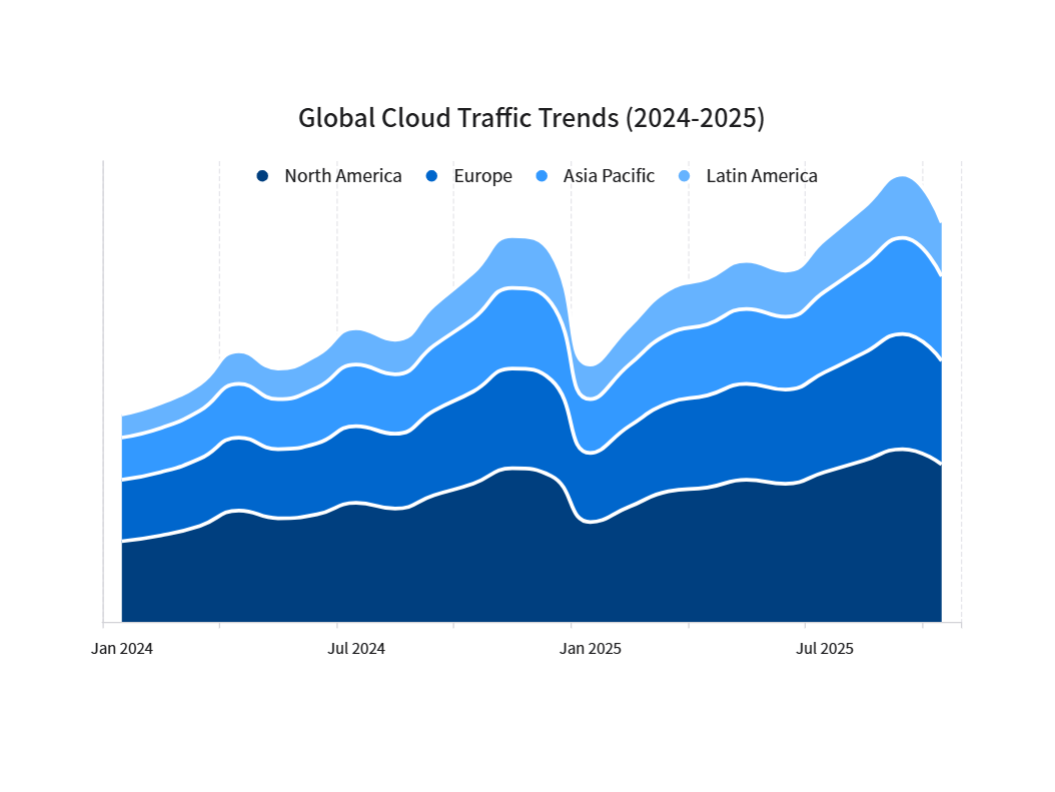
CREATE_CHART
Global Cloud Traffic Trends
Description
Understand total network load patterns and regional peaks, so you can optimize resource distribution where it's needed most.
Input Settings
Action: chartDeep Think: falseWeb Search: Disable
Recommended Prompt
Task: Update the Smooth Stacked Area Chart with a specific focus on Clearer Date Labels. 1. X-Axis (Date) Fix - CRITICAL: The Problem: The current "Jan 24" format is confusing. It's hard to distinguish the years. The Requirement: Use Full 4-Digit Years and specific spacing. Label Format: Change the text to "Jan 2024", "Jul 2024", "Jan 2025", "Jul 2025". Spacing Strategy: Do NOT show every month. Only show the label for the Start of the Year (Jan) and the Middle of the Year (Jul). Goal: This will create a clean timeline where the transition from 2024 to 2025 is obvious. 2. Maintain Existing Style (Do not change these): Chart Type: Smooth Stacked Area (Spline). White Borders: Keep the thick white borders between layers. Colors: Keep the Blue Gradient (Dark at bottom, Light at top). Clean Layout: Keep the vertical dashed grid and hide the Y-axis numbers. Title: Global Cloud Traffic Trends (2024-2025)
Sample Datasets
cloud_traffic_trends.xlsx
5.98 KB