


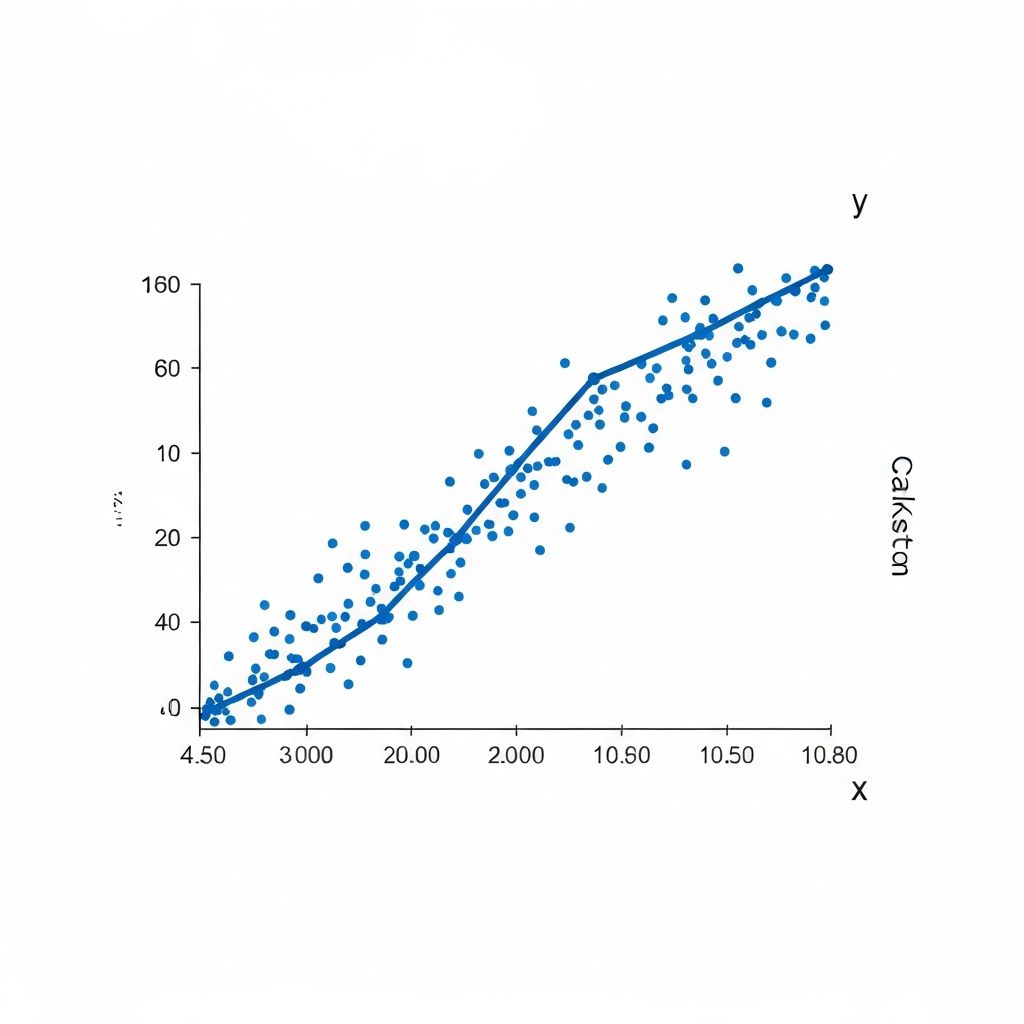
Scatter plots are the workhorses of correlation analysis—the primary tool for visualizing relationships between two continuous variables. Yet I've reviewed countless analyses where scatter plots were misinterpreted, poorly designed, or simply not used when they should have been. This comprehensive guide will transform how you use scatter plots for data analysis.
What Is a Scatter Plot?
A scatter plot (also called XY chart, scatter graph, or scatter diagram) displays values for two variables as points on a two-dimensional coordinate system. Each point represents one observation, with:
- X-axis (horizontal): Independent variable or predictor
- Y-axis (vertical): Dependent variable or outcome
The power of scatter plots lies in revealing patterns that would be invisible in tables or summary statistics.
The Anatomy of Correlation
Before diving into scatter plot techniques, let's understand what we're looking for.
Correlation Direction
Positive correlation: As X increases, Y tends to increase
- Points trend from lower-left to upper-right
- Examples: Height and weight, education and income, advertising spend and sales
Negative correlation: As X increases, Y tends to decrease
- Points trend from upper-left to lower-right
- Examples: Price and demand, age of car and value, distance and signal strength
No correlation: No consistent relationship
- Points scattered randomly with no pattern
- Examples: Shoe size and IQ, birth month and height
Correlation Strength
Strong correlation (|r| > 0.7): Points cluster tightly around an imaginary line
Moderate correlation (0.4 to 0.7 |r|): Clear trend but with spread
Weak correlation (|r| under 0.4): Vague pattern, considerable scatter
No correlation (r ≈ 0): Random scatter, no discernible pattern
The Correlation Coefficient (r)
The Pearson correlation coefficient ranges from -1 to +1:
- r = 1: Perfect positive correlation
- r = 0: No linear correlation
- r = -1: Perfect negative correlation
Important caveat: Correlation measures LINEAR relationships only. A scatter plot can reveal non-linear patterns that correlation coefficients miss entirely.
When to Use Scatter Plots
Ideal Use Cases
- Exploring relationships between two continuous variables
- Identifying outliers that deviate from general patterns
- Detecting clusters or subgroups in your data
- Validating assumptions before regression analysis
- Communicating correlations to stakeholders
Not Ideal For
- Categorical variables: Use grouped bar charts instead
- Time series data: Use line charts for temporal patterns
- Massive datasets (>10,000 points): Consider density plots or hexbin plots
- More than two variables: Use bubble charts or small multiples
Reading Scatter Plot Patterns
Pattern 1: Linear Relationship
Points follow a straight-line path. This is the classic correlation pattern.
Strong positive linear:
- Points form a tight band from lower-left to upper-right
- r value approaches +1
- Example: Study hours vs. exam scores
Interpretation tip: A linear pattern suggests that for every unit increase in X, Y changes by a consistent amount.
Pattern 2: Non-Linear Relationship
Points follow a curved path. Common forms include:
Quadratic (U-shaped or inverted U):
- Relationship changes direction
- Example: Stress and performance (Yerkes-Dodson law)
Logarithmic:
- Rapid initial change that levels off
- Example: Practice time and skill improvement
Exponential:
- Slow initial change that accelerates
- Example: Compound interest over time
Critical insight: Always plot your data! A correlation coefficient near zero might hide a strong non-linear relationship.
Pattern 3: Heteroscedasticity
Variance in Y changes across X values. The scatter "fans out" or "funnels."
Fan-out pattern:
- Low X values show tight clustering
- High X values show wide spread
- Example: Income vs. spending (wealthy people have more variable spending)
Why it matters: Heteroscedasticity violates regression assumptions and requires special treatment.
Pattern 4: Clusters
Distinct groups appear within the scatter plot.
Multiple clusters:
- Two or more separate point clouds
- Often indicates subgroups in your data
- Example: Height vs. weight with male/female clusters
Action required: Consider analyzing clusters separately or adding a grouping variable.
Pattern 5: Outliers
Individual points far from the main pattern.
Types of outliers:
- High leverage: Extreme X value
- High influence: Changes the trend line significantly
- Random outliers: Data entry errors or genuine anomalies
Always investigate outliers: They might be errors, or they might be your most interesting data points.
Creating Effective Scatter Plots
Step 1: Prepare Your Data
Essential data checks:
- Remove or investigate missing values
- Check for data entry errors
- Verify units and scales
- Consider necessary transformations (log, square root)
Step 2: Choose Appropriate Axes
X-axis (independent variable):
- The variable you suspect influences the other
- The variable you could potentially control
- The variable measured first (in time-ordered data)
Y-axis (dependent variable):
- The outcome you're investigating
- The variable that responds to changes in X
Scaling considerations:
- Include zero only if meaningful for your data
- Use consistent scale increments
- Consider log scales for exponential relationships
Step 3: Plot the Points
Point size:
- Consistent size for basic scatter plots
- Variable size for bubble charts (encoding third variable)
- Smaller points for larger datasets
Point style:
- Solid circles for most cases
- Open circles if points overlap
- Different shapes for categories (use sparingly)
Transparency:
- Add transparency (alpha) for overlapping points
- 50-70% opacity works well for moderate overlap
Step 4: Add Trend Lines (When Appropriate)
Linear regression line:
- Shows best-fit straight line
- Include R² value to show fit quality
- Add confidence interval bands for uncertainty
LOESS/LOWESS curve:
- Non-parametric smoothing
- Reveals non-linear patterns
- Useful for exploration before choosing a model
When NOT to add trend lines:
- Data shows no clear relationship
- Multiple clusters require separate lines
- You're exploring, not confirming a relationship
Step 5: Enhance Readability
Axis labels:
- Clear, descriptive variable names
- Include units of measurement
- Use sentence case
Title:
- State the relationship being shown
- Include context (time period, population)
Annotations:
- Label notable outliers
- Add reference lines (mean, threshold values)
- Include correlation coefficient if relevant
Advanced Scatter Plot Techniques
Technique 1: Bubble Charts
Add a third variable by varying point size.
Best for:
- Showing magnitude alongside relationship
- Comparing entities (countries, companies, products)
- Time series with size indicating recency
Design tip: Use area (not radius) proportional to value. Our perception judges area, not diameter.
Technique 2: Color-Coded Scatter Plots
Add categorical information through color.
Best for:
- Comparing groups
- Identifying clusters
- Revealing patterns within patterns
Limit: Maximum 5-7 colors for clarity. Use a colorblind-friendly palette.
Technique 3: Small Multiples
Create a grid of scatter plots for faceted comparison.
Best for:
- Comparing relationships across categories
- Showing change over time periods
- Revealing interaction effects
Design tip: Keep axes consistent across all panels for valid comparison.
Technique 4: Marginal Distributions
Add histograms or density plots to the margins.
Best for:
- Understanding individual variable distributions
- Spotting outliers in univariate context
- Detecting bimodality
Technique 5: Hexbin and Density Plots
For large datasets where points overlap severely.
Hexbin plots: Aggregate points into hexagonal bins, color by count
Density plots: Show concentration as a continuous gradient
When to use: More than 1,000-5,000 points (depending on plot size)
Interpreting Scatter Plots: A Framework
The 4-Step Interpretation Process
Step 1: Overall pattern
- Is there a relationship?
- What direction (positive/negative)?
- What form (linear/curved)?
- How strong (tight/scattered)?
Step 2: Deviations from pattern
- Are there outliers?
- Are there clusters?
- Does variance change across X?
Step 3: Context check
- Does the pattern make theoretical sense?
- Are there confounding variables?
- Is the relationship likely causal?
Step 4: Quantification
- Calculate correlation coefficient
- Fit appropriate regression model
- Compute confidence intervals
Common Scatter Plot Mistakes
Mistake 1: Assuming Correlation = Causation
A scatter plot showing strong correlation does NOT prove causation. Hidden variables might explain both X and Y.
Classic example: Ice cream sales and drowning deaths correlate strongly. The hidden variable? Summer heat.
Mistake 2: Ignoring Non-Linear Patterns
A correlation coefficient of r = 0 might hide a perfect quadratic relationship. Always look at the plot, not just the numbers.
Mistake 3: Extrapolating Beyond Data Range
If your data covers X values from 10-50, don't make predictions for X = 100. The relationship might change outside your observed range.
Mistake 4: Overplotting
With thousands of points, scatter plots become unreadable black blobs. Use transparency, density plots, or sampling.
Mistake 5: Cherry-Picking Outliers
Removing outliers to "improve" correlation is data manipulation. Investigate outliers, but don't delete them without valid reasons.
Scatter Plots in Practice: Case Studies
Case Study 1: Sales Performance Analysis
Question: Does sales training improve revenue?
Variables:
- X: Training hours completed
- Y: Quarterly revenue generated
Findings:
- Positive correlation (r = 0.65) up to 40 hours
- Plateau effect beyond 40 hours (diminishing returns)
- Three outliers identified: top performers regardless of training
Action: Recommend 40-hour training cap, investigate what makes outliers successful.
Case Study 2: Customer Satisfaction vs. Revenue
Question: Do happier customers spend more?
Variables:
- X: Net Promoter Score (NPS)
- Y: Annual customer spend
Findings:
- Weak overall correlation (r = 0.28)
- Clear clusters when color-coded by customer segment
- Enterprise customers: strong correlation (r = 0.71)
- SMB customers: no correlation (r = 0.08)
Action: Focus satisfaction efforts on enterprise segment where it impacts revenue.
Case Study 3: Website Performance Optimization
Question: How does page load time affect bounce rate?
Variables:
- X: Page load time (seconds)
- Y: Bounce rate (percentage)
Findings:
- Strong positive correlation (r = 0.78)
- Relationship appears logarithmic (steep increase from 1-3 seconds, then levels off)
- Mobile vs. desktop shows different curves (color-coded)
Action: Prioritize getting load times under 3 seconds; mobile optimization critical.
Creating Scatter Plots with ChartGen
ChartGen streamlines scatter plot creation:
- Import data with two or more numeric columns
- Select "Scatter Plot" from visualization options
- Map variables to X and Y axes
- Customize:
- Add trend lines (linear or LOESS)
- Color-code by category
- Adjust point size for bubble charts
- Add correlation statistics
- Export in presentation-ready formats
ChartGen automatically:
- Suggests appropriate axis scales
- Calculates and displays correlation coefficients
- Identifies potential outliers
- Offers trend line options based on data pattern
Conclusion
Scatter plots are deceptively simple in appearance but powerful in insight. They're often the first tool you should reach for when exploring relationships between continuous variables.
Key takeaways:
- Always visualize first: Don't rely solely on correlation coefficients
- Look for patterns beyond linearity: Real-world relationships are often curved or clustered
- Investigate outliers: They might be errors or your most valuable insights
- Consider context: Correlation never proves causation
- Design for clarity: Proper labels, scales, and annotations make insights accessible
Master scatter plots, and you master a fundamental skill in data analysis—the ability to see relationships hidden in numbers.