


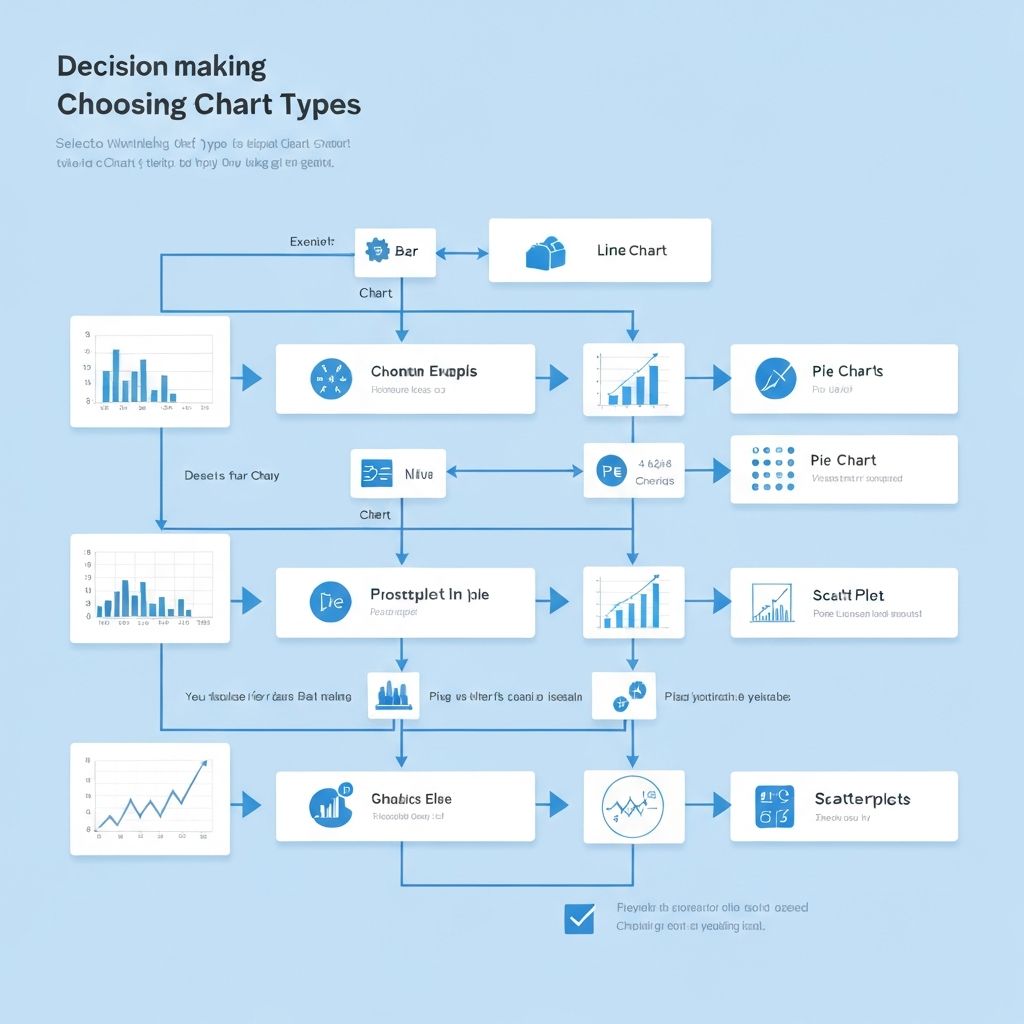
"What chart should I use?" is the most common question in data visualization. The answer depends on three factors: your data type, your message, and your audience. This guide gives you a clear framework to make that decision every time.
The Chart Selection Framework
Before diving into specific chart types, understand this fundamental principle: charts are answers to questions. The chart you choose depends on what question you're trying to answer.
The Four Questions Charts Answer
- How do things compare? → Bar charts, column charts
- How have things changed over time? → Line charts, area charts
- What's the composition? → Pie charts, stacked bars, treemaps
- What's the relationship? → Scatter plots, bubble charts
Match your question to the right category, and you've narrowed your options significantly.
Quick Decision Flowchart
Use this rapid decision process:
Step 1: What's your primary goal?
- Comparing values → Go to Comparison Charts
- Showing change over time → Go to Trend Charts
- Showing parts of a whole → Go to Composition Charts
- Finding relationships → Go to Relationship Charts
- Showing distribution → Go to Distribution Charts
Step 2: How many variables?
- One variable → Simple charts (bar, line, pie)
- Two variables → Dual-axis or scatter plots
- Three+ variables → Advanced charts (bubble, radar, heatmap)
Step 3: How many data points?
- Under 10 → Most chart types work
- 10-50 → Consider line charts or grouped bars
- 50+ → Use heatmaps, scatter plots, or aggregate first
Comparison Charts: When You're Comparing Values
Bar Chart / Column Chart
Use when:
- Comparing discrete categories
- Showing rankings
- Displaying survey results
- Values don't need to sum to 100%
Best for:
- Sales by region
- Performance by employee
- Revenue by product line
- Survey response counts
Example data:
| Product | Revenue |
|---|---|
| Widget A | $125,000 |
| Widget B | $98,000 |
| Widget C | $156,000 |
| Widget D | $87,000 |
Choose bar over column when:
- Category names are long
- You have more than 6-7 categories
- You want to emphasize the ranking
Grouped Bar Chart
Use when:
- Comparing multiple series across categories
- Showing before/after or year-over-year
- Displaying survey results by demographic
Best for:
- Q1 vs Q2 sales by region
- Men vs women survey responses
- Budget vs actual by department
Limitation: Gets cluttered beyond 3-4 series or 6-7 categories
Horizontal Bullet Chart
Use when:
- Showing progress toward a goal
- Comparing actual vs target
- Displaying KPI performance
Best for:
- Sales quota achievement
- Project progress tracking
- Performance dashboards
Trend Charts: When Time Is Your X-Axis
Line Chart
Use when:
- Showing continuous change over time
- Tracking trends and patterns
- Comparing multiple series over time
- You have more than 7-8 time periods
Best for:
- Monthly revenue trends
- Website traffic over time
- Stock price movement
- Temperature changes
Important: The x-axis should be continuous time data. For categorical time (Q1, Q2, etc.), column charts often work better.
Area Chart
Use when:
- Emphasizing the magnitude of change
- Showing cumulative totals over time
- Creating visual impact for presentations
Best for:
- Total users over time (cumulative)
- Revenue growth visualization
- Market size expansion
Warning: Avoid overlapping area charts—they're hard to read. Use stacked area charts instead.
Stacked Area Chart
Use when:
- Showing how composition changes over time
- Tracking multiple series that sum to a total
- Visualizing market share evolution
Best for:
- Revenue by product line over time
- Traffic sources over time
- Budget allocation changes
Sparklines
Use when:
- Showing trends in limited space
- Embedding charts in tables or text
- Providing context without detail
Best for:
- Dashboard KPI indicators
- Stock tickers
- Report headers
Composition Charts: When Parts Make a Whole
Pie Chart
Use when:
- Showing parts of a whole
- You have 5 or fewer categories
- Values sum to 100%
- One segment dominates or is the focus
Best for:
- Market share (with dominant player)
- Budget allocation overview
- Simple survey results
Avoid when:
- Segments are similar in size
- You have more than 5-6 categories
- Precision matters more than overview
Donut Chart
Use when:
- Same criteria as pie charts
- You want to display a central metric
- You need a more modern look
Best for:
- Progress indicators (75% complete)
- Single KPI with context
- Modern dashboards
Stacked Bar Chart (100%)
Use when:
- Comparing composition across categories
- Showing how percentages differ by group
- You need precise segment comparison
Best for:
- Survey responses by demographic
- Portfolio allocation comparison
- Customer satisfaction by region
Advantage over pie: Much easier to compare the same segment across multiple groups.
Treemap
Use when:
- Showing hierarchical part-to-whole
- You have many categories (10+)
- Size differences are significant
Best for:
- File storage breakdown
- Budget by department and sub-department
- Market cap by sector and company
Waterfall Chart
Use when:
- Showing how a value builds up or breaks down
- Explaining variance between two numbers
- Walking through financial changes
Best for:
- Profit bridge (revenue to net income)
- Year-over-year variance explanation
- Cost buildup analysis
Relationship Charts: When Correlation Matters
Scatter Plot
Use when:
- Exploring relationship between two variables
- Identifying clusters or outliers
- Each data point represents an individual case
Best for:
- Price vs. sales relationship
- Height vs. weight correlation
- Marketing spend vs. revenue
Reading the chart:
- Points trending up-right = positive correlation
- Points trending down-right = negative correlation
- Points scattered randomly = no correlation
Bubble Chart
Use when:
- You need to show three variables
- Size represents a third dimension
- Comparing entities with multiple attributes
Best for:
- Countries: GDP (x) vs Life Expectancy (y) vs Population (size)
- Products: Price (x) vs Rating (y) vs Sales Volume (size)
- Competitors: Market Share (x) vs Growth (y) vs Revenue (size)
Heatmap
Use when:
- Showing patterns in large datasets
- Visualizing correlation matrices
- Displaying activity over two dimensions
Best for:
- Website activity by hour and day
- Correlation between multiple variables
- Geographic density data
- Cohort analysis
Distribution Charts: When Spread Matters
Histogram
Use when:
- Showing frequency distribution
- Understanding data spread
- Identifying patterns (normal, skewed, bimodal)
Best for:
- Age distribution of customers
- Transaction value distribution
- Response time analysis
Box Plot (Box and Whisker)
Use when:
- Comparing distributions across groups
- Showing median, quartiles, and outliers
- Statistical comparison of categories
Best for:
- Salary distribution by department
- Test scores by class
- Performance metrics comparison
Special Purpose Charts
Radar Chart (Spider Chart)
Use when:
- Comparing multiple attributes
- Showing performance profiles
- Entities have 5-8 measurable dimensions
Best for:
- Product feature comparison
- Employee skill assessment
- Competitor analysis
Warning: Radar charts are often misread. Use only with audiences familiar with them.
Funnel Chart
Use when:
- Showing stages in a process
- Visualizing conversion or dropout
- Values naturally decrease through stages
Best for:
- Sales funnel analysis
- Recruitment pipeline
- Website conversion funnel
Gantt Chart
Use when:
- Showing project timelines
- Visualizing task dependencies
- Tracking schedule progress
Best for:
- Project management
- Product roadmaps
- Event planning
Sankey Diagram
Use when:
- Showing flow between stages
- Visualizing transfers or conversions
- Energy or resource flow
Best for:
- Budget flow analysis
- Customer journey mapping
- Website navigation paths
Chart Selection by Data Type
Categorical Data (Names, Labels)
- Comparison: Bar chart, column chart
- Composition: Pie chart, treemap
- Comparison across groups: Grouped bar, heatmap
Time Series Data (Dates, Periods)
- Single series: Line chart, area chart
- Multiple series: Multi-line, stacked area
- Composition over time: Stacked bar, stacked area
Numerical Data (Continuous Values)
- Distribution: Histogram, box plot
- Relationship: Scatter plot, bubble chart
- Correlation: Heatmap
Hierarchical Data (Nested Categories)
- Structure: Treemap, sunburst
- Flow: Sankey diagram
Common Mistakes in Chart Selection
Mistake 1: Pie Charts for Everything
Pie charts are overused. They only work when:
- Parts sum to 100%
- You have 5 or fewer segments
- Exact values aren't critical
Better alternatives:
- Bar chart for comparison
- Donut with central KPI for single metrics
- Stacked bar for comparing composition across groups
Mistake 2: Line Charts for Categories
Line charts imply continuity. If your x-axis is categorical (regions, products), the line suggests a connection that doesn't exist.
Fix: Use bar charts for categorical comparisons.
Mistake 3: 3D Charts
3D effects distort perception and make accurate reading impossible.
Fix: Always use 2D charts. If you need visual interest, use color and typography.
Mistake 4: Too Much Data
More data isn't better visualization. Know when to:
- Aggregate (daily → monthly)
- Filter (top 10 only)
- Split into multiple charts
Mistake 5: Wrong Chart for Audience
A scatter plot perfect for analysts may confuse executives. Consider:
- Executives: Simple bars, single KPI donuts
- Analysts: Scatter plots, heatmaps, detailed views
- General public: Pie charts, simple lines, pictograms
Quick Reference Table
| Your Goal | Data Type | Recommended Chart |
|---|---|---|
| Compare values | Categorical | Bar chart |
| Show ranking | Categorical | Horizontal bar |
| Show trend | Time series | Line chart |
| Show cumulative | Time series | Area chart |
| Show composition | Part-to-whole | Pie (under 5 items) or Stacked bar |
| Show correlation | Two numerical | Scatter plot |
| Show three variables | Numerical | Bubble chart |
| Show distribution | Numerical | Histogram |
| Compare distributions | Grouped numerical | Box plot |
| Show process stages | Sequential | Funnel chart |
| Show flow | Relationships | Sankey diagram |
| Show hierarchy | Nested | Treemap |
| Show patterns | Matrix | Heatmap |
Practical Examples
Example 1: Quarterly Sales Report
Data: Sales figures for 4 products across 4 quarters
Wrong choice: Pie chart (doesn't show time dimension)
Right choice: Grouped column chart or line chart
- Grouped columns if comparing products is primary
- Line chart if showing trend is primary
Example 2: Customer Survey Results
Data: Satisfaction scores (1-5) from 500 respondents
Wrong choice: Line chart (implies continuity)
Right choice:
- Bar chart showing count per rating
- Histogram showing distribution
- Single number (average) with donut showing satisfied vs unsatisfied
Example 3: Marketing Budget Allocation
Data: Spending across 8 channels totaling $500K
Wrong choice: Pie chart (too many segments)
Right choice:
- Treemap (shows hierarchy and relative size)
- Horizontal bar (shows ranking clearly)
- Stacked bar if comparing to previous period
Let AI Choose for You
If you're still unsure, modern AI chart tools analyze your data and suggest the optimal chart type. Tools like ChartGen examine:
- Data structure (categorical vs. numerical)
- Number of variables
- Data distribution
- Common visualization patterns
The AI suggestion isn't always perfect, but it's a great starting point that you can refine.
Conclusion
Choosing the right chart isn't about memorizing rules—it's about understanding what story your data tells and picking the visual that tells it most clearly.
Remember:
- Start with your question, not your data
- Simpler is almost always better
- Match complexity to your audience
- When in doubt, use a bar chart
Ready to create your chart? Try ChartGen—paste your data and see intelligent chart suggestions in seconds.